What is the Video Gallery feature?
Video Gallery lets you add up to 9 YouTube videos to your public Counselling Network profile. It’s a simple way to help potential clients get to know you, your approach, and what to expect.
Who can use it?
We’re rolling this out gradually. If you can’t see Dashboard → Video Gallery yet, it just means it hasn’t been enabled on your profile. If you’d like early access, send us a message and we’ll switch it on for you.
Where will my videos appear?
Your videos appear in a Videos section on your public profile, underneath your main profile content.
What kinds of videos work best?
Popular ideas include:
-
A short introduction (“Hi, I’m… and this is how I help”)
-
What a first session is like
-
Your counselling style or approach
-
Anxiety/anger/stress tips
-
A short FAQ video answering common questions
How do I add a video?
-
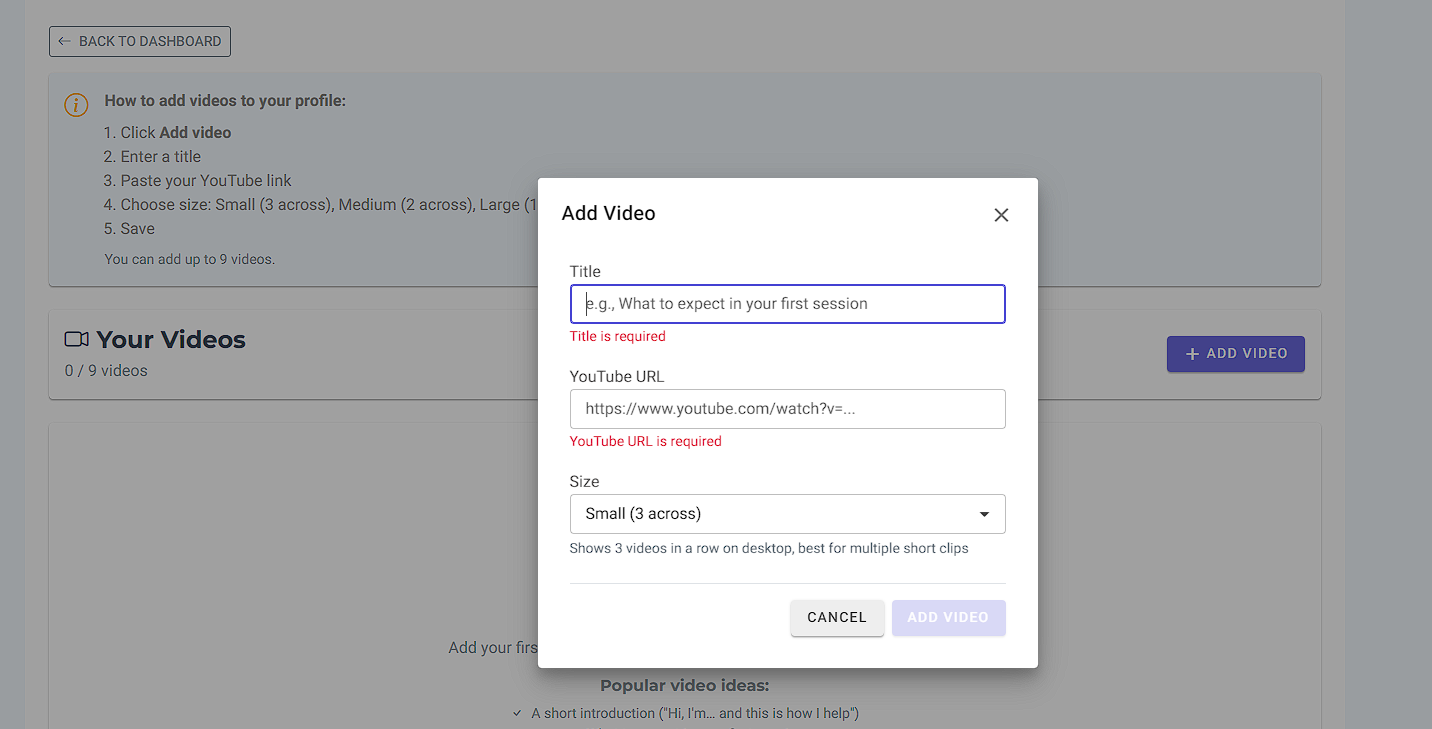
Go to Dashboard → Video Gallery
-
Click Add video
-
Enter a Title (example: “What to expect in your first session”)
-
Paste your YouTube link
-
Choose a Size (Small / Medium / Large)
-
Click Save
-
Use Preview to check how it looks
What YouTube links can I paste?
Most common YouTube links work, including:
-
Standard links (youtube.com/watch?v=…)
-
Share links (youtu.be/…)
-
Shorts links (youtube.com/shorts/…)
Tip: If a link doesn’t work, go to YouTube → Share → copy the link and paste that.
What does “Size” mean?
Size controls how the videos display on your profile:
-
Small: best for multiple short clips (shows 3 across on desktop)
-
Medium: balanced layout (shows 2 across on desktop)
-
Large: great for a featured video (shows 1 across)
Everything is mobile-friendly and will stack nicely on smaller screens.
How many videos can I add?
You can add up to 9 videos.
Can I change the order of my videos?
Yes. You can reorder them in the Video Gallery page so your most important video appears first.
Can I edit or remove a video later?
Absolutely. You can update the title, size, or link any time — and delete a video whenever you want.
Do the videos upload to Counselling Network?
No — the videos stay on YouTube. We simply embed them on your profile, so you stay in full control on your YouTube channel.
Why should I add videos?
Video helps clients:
-
Feel more comfortable before reaching out
-
Get a sense of your style and personality
-
Build trust faster
It’s also a great way to reuse content — post once on YouTube, and it supports your profile automatically.