A new route to you
Participating companies place our finder on their intranet, giving staff a direct route to the directory and your public profile.
Restoring your session
Refreshing the page now.
INTRODUCING COUNSELLING.NETWORK FOR SHAREPOINT
We're pleased to announce our SharePoint integration—bringing independent counsellor search directly into company wellbeing pages.
For eligible Counselling.Network profiles · Wider rollout in preparation
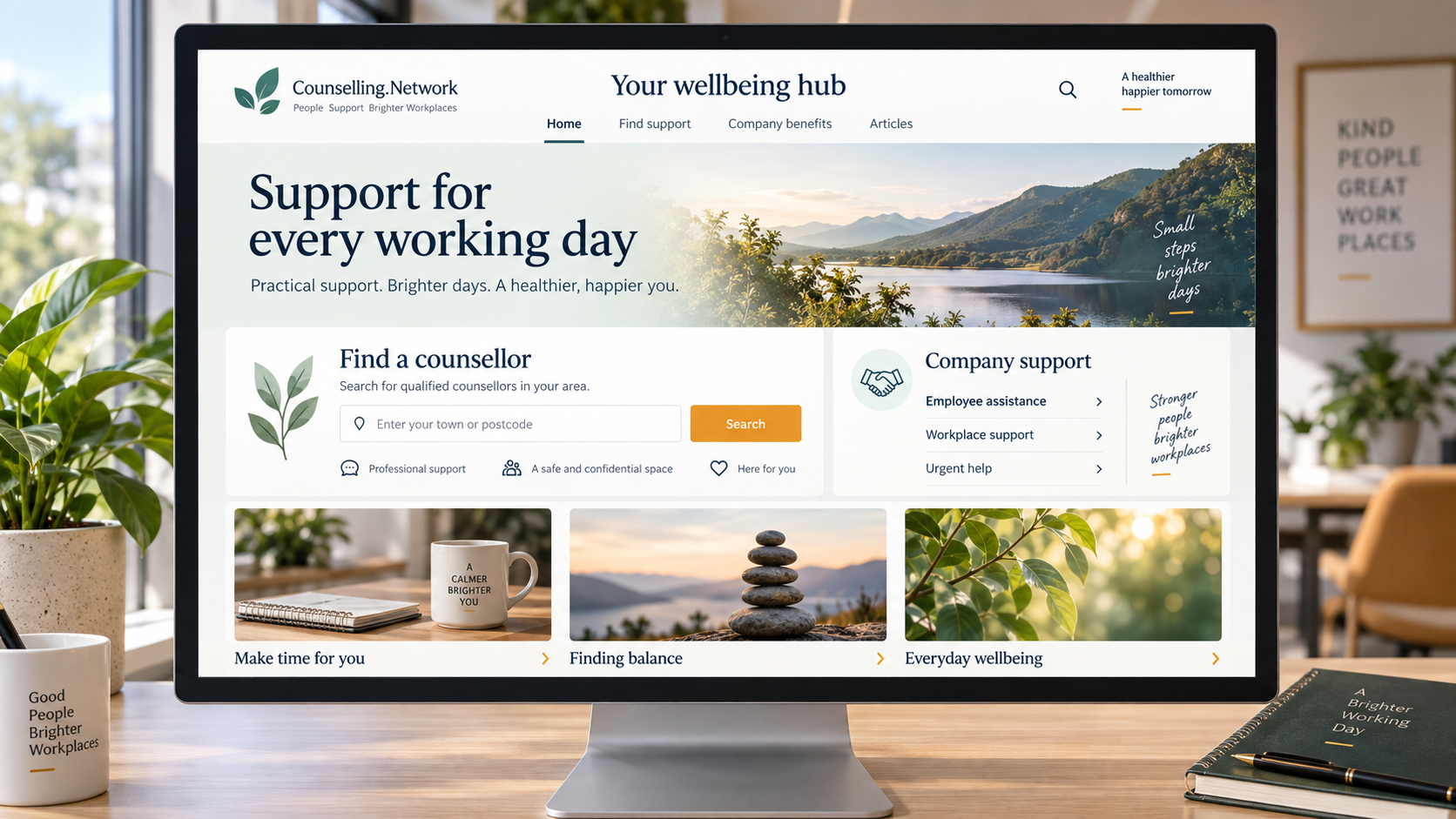
FROM COMPANY INTRANET TO YOUR PROFILE
An employee opens their company's wellbeing page. They search for a town or remote support. Your eligible profile could be one of the options they explore.
Participating companies place our finder on their intranet, giving staff a direct route to the directory and your public profile.
The finder uses your published profile information. Keep it current in Counselling.Network rather than maintaining another company listing.
People choose whether to contact you through your published routes. You assess suitability and agree your own fees and terms.
THE PLATFORM BEHIND THE OPPORTUNITY
SharePoint is Microsoft's platform for intranets, content, documents and collaboration. Organisations use it to share news, policies and resources with their people.
HR and communications teams can use it for wellbeing hubs. Our web part adds counsellor search to those pages. You do not need to use SharePoint yourself.
Learn about Microsoft SharePoint ↗YOUR PRACTICE, IN VIEW
Real captures of our SharePoint web part. Displayed profiles and articles are examples and change over time.
Town searches match your declared service areas, not just your practice address. Remote providers can appear in town searches and in remote-only results.
Only eligible, publicly visible profiles are included. The finder shows up to three matches, with a link to all results. Search position is not a clinical quality ranking.
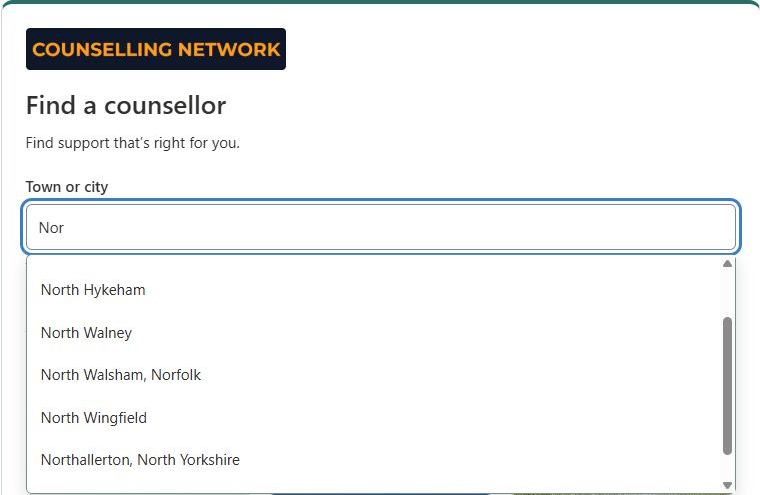 Start with a town or choose remote support ↗
Your photo, introduction, available session tools and published links help someone decide whether to read more. Fees appear where supplied and enabled.
The full profile is a click away. Make your approach, credentials, availability and any remote-location restrictions easy to understand.
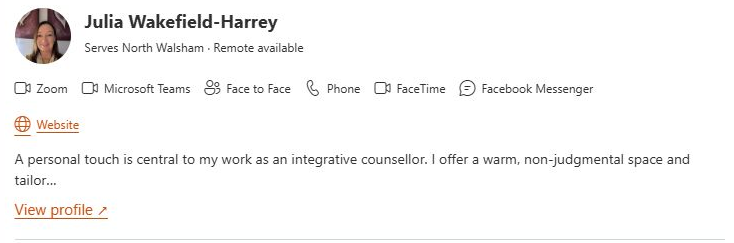 A real result card from the test installation ↗
Companies can show three recent eligible public articles with images and titles, or a link to explore the blog. Helpful writing gives readers another way to discover your perspective.
The shared article feed does not guarantee that a particular author's work will appear. Keep articles accurate, accessible and relevant to readers.
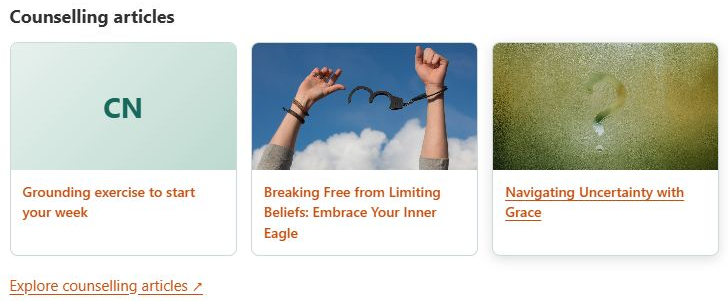 Articles bring your perspective into the page ↗
MAKE A GOOD FIRST INTRODUCTION
There is no separate SharePoint profile to build. Start with the information a prospective client will see on Counselling.Network.
Sign in and review your profile →CLEAR EXPECTATIONS
No. Placement depends on companies installing the web part, your profile's eligibility and the employee's search. Availability, placement, enquiries and bookings are not guaranteed.
The intranet integration is free for companies. Sessions are separate unless the employer makes a specific funding arrangement. Confirm fees and payment with the client directly.
No extra SharePoint inclusion fee is required. Your normal Counselling.Network membership and profile eligibility conditions continue to apply.
The web part does not give counsellors lists of employees who searched or their employers. People decide whether to contact you; use of a company intranet is not permission to approach its staff.
No. A listing is not a clinical endorsement or a guarantee of suitability or outcome. You and the prospective client establish whether working together is appropriate.