The problem with “basic cropping”
On many directories and listing sites, you upload a photo… and the platform automatically crops it to fit a square or banner shape.
The result?
-
Foreheads clipped
-
Chins cut off
-
Eyes pushed out of frame (the biggest issue of all)
-
A photo that looks “off” on phones, even if it looked fine on desktop
And because most people browse counsellor profiles on their mobile, these crops can quietly damage first impressions before someone even reads your bio.
Why eyes matter (especially on mobile)
Eye contact is one of the strongest trust signals in a profile photo. If a crop removes or misplaces the eyes, the image can feel less personal — even if the original photo was great.
A well-cropped image:
-
feels calm and professional
-
builds trust faster
-
looks consistent across search results, profile pages, and mobile layouts
What we’ve added on Counselling.Network
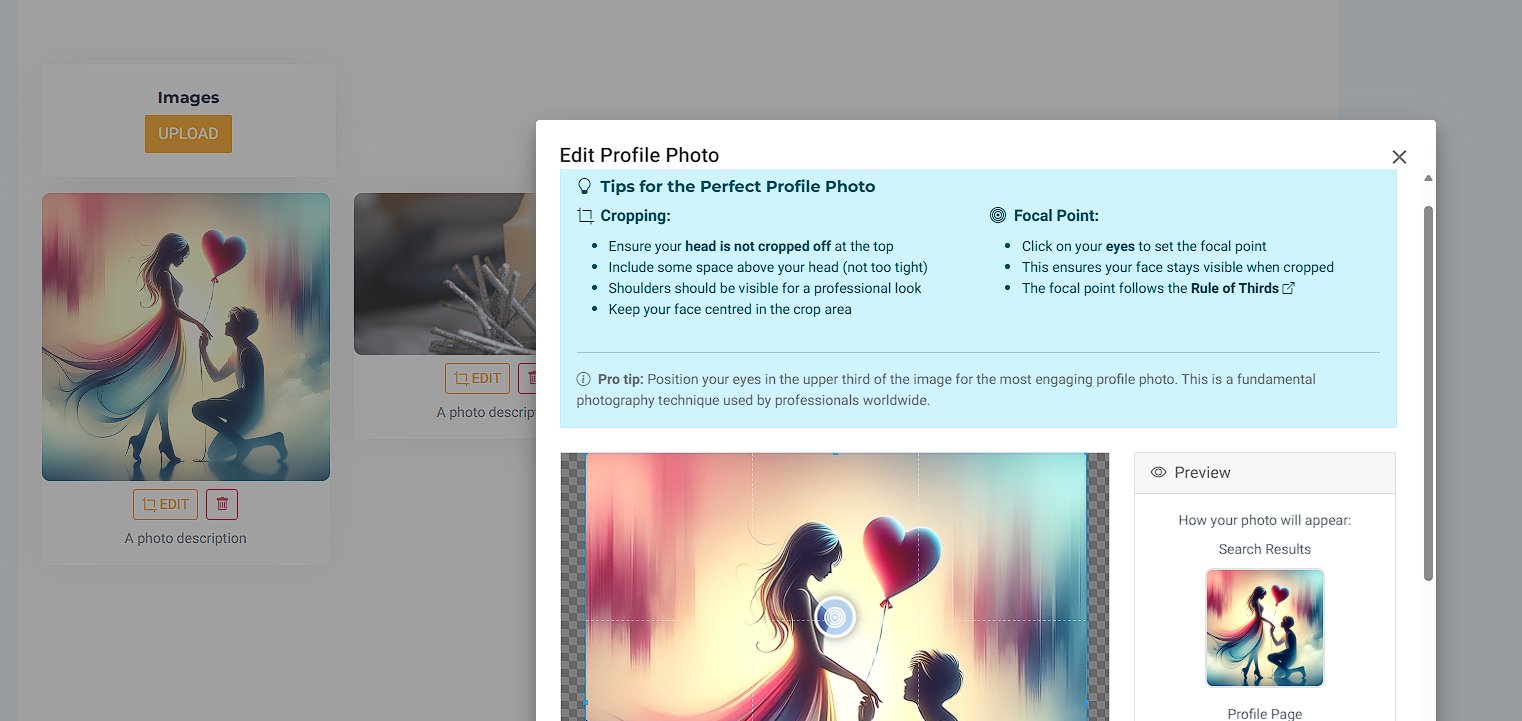
When you edit your profile photo, you can now:
1) Crop it properly
-
Keep your head fully in frame
-
Leave a little space above your head (not too tight)
-
Ensure shoulders are visible for a professional look
2) Set a Focal Point
You can click on your eyes to set the focal point — so when the image is cropped for different screen sizes, your face stays where it should be.
This follows a simple photography principle (the “rule of thirds”) that professionals use to keep images engaging and balanced.
Quick tips for a perfect profile photo
-
Keep your face centred in the crop area
-
Make sure your eyes are clearly visible
-
Avoid tight crops that cut into hair or forehead
-
Check the preview for Search Results and Profile Page before saving
Try it now
Log in, open your profile, and hit Edit Photo to test the new crop + focal point controls. It only takes a minute — and it can make a big difference to how professional and approachable your profile feels across every device.